
JPAM Maps
Explore the whole world with a free map in your browser. See 3D buildings and terrain on a satellite globe that shifts between day and night. Find places, check opening hours and Wikipedia summaries, and get driving, walking, or cycling directions with spoken turn-by-turn guidance. Built on OpenStreetMap.

What you can do
Explore freely in your browser—no account, ads, or in-app purchases. Built entirely on open data and free public services.
Explore 3D maps and a living globe
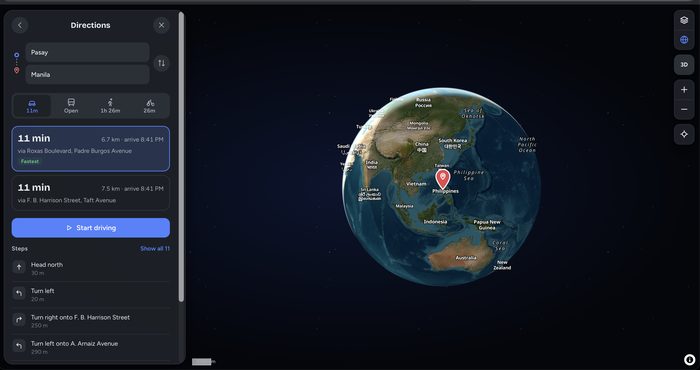
Discover streets, places, and 3D buildings from OpenStreetMap, alongside satellite imagery and terrain in relief. See where it’s day and night on a globe that reflects the changing light.
Search and discover places
Find places and addresses around the world, or explore what’s nearby—from restaurants and coffee shops to groceries, fuel, pharmacies, hotels, and museums. Opening hours are shown where available.
Get directions and spoken guidance
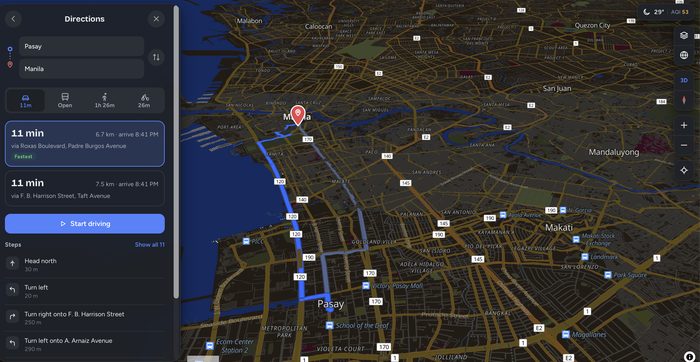
Compare driving, walking, and cycling routes, then follow spoken, turn-by-turn guidance that reroutes you if you go off course. For transit directions, open your trip in Google Maps or Apple Maps.
Save your places on your device
Create lists of saved places, set your Home and Work locations, and share a link to any spot. Your saved places stay in your browser.
Gallery
Select an image to enlarge it. Use the arrow keys or swipe to browse.
How to get started
Three simple steps to plan and follow a trip.
Find a place
Search for a place or address, or choose a category under Explore this area to discover what’s nearby.
Get directions
Open a place and select Directions. Choose a starting point, then compare driving, walking, and cycling routes.
Start your trip
Select Start for spoken, turn-by-turn guidance from your current location, or preview the trip with a simulation first.
JPAM Maps
Free to use. No account required. No ads. Map data © OpenStreetMap contributors. Routes, travel times, and opening hours may be incomplete or out of date. Always follow road signs and local conditions.
 Simoy MarineMarine weather
 DraftProDraft survey
 SolsticeWeb browser
 JPAM ReviewerExam reviewer