DraftPro
The draft survey calculator for masters, chief officers, and marine surveyors. Draft readings, ballast soundings and the ship’s own hydrostatics become the cargo figure, with trimming, strength, cargo, voyage, and bunker tools beside it.

What it does
Coming soon to the App Store and Google Play as a one-time purchase. Try every calculation now in the free web demo (nothing is saved, printing and export are off).
Draft survey by the UN/ECE method
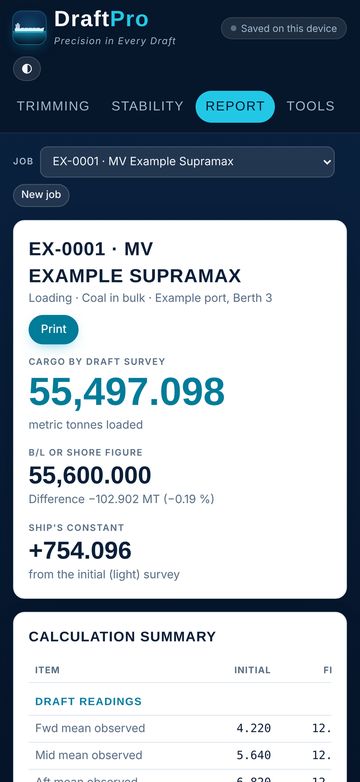
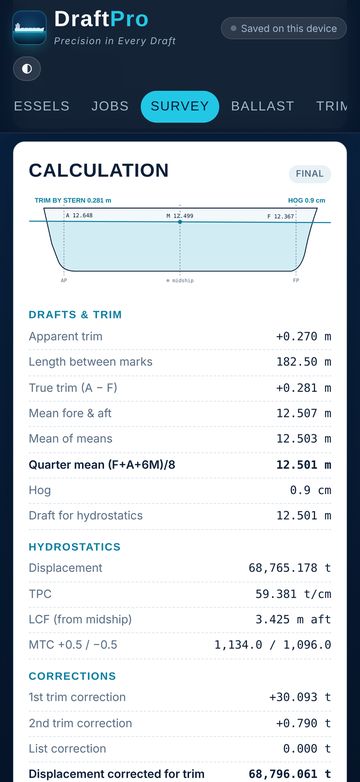
Initial, intermediate, and final surveys: corrections to the perpendiculars, quarter mean, first and second trim corrections, list, and dock-water density.
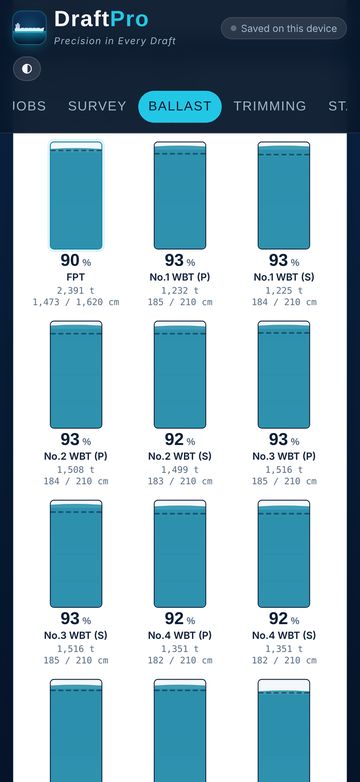
Ballast soundings
Type the sounding in cm; volume and tonnes come from each tank’s calibration table, corrected for trim, with a gauge for every tank.
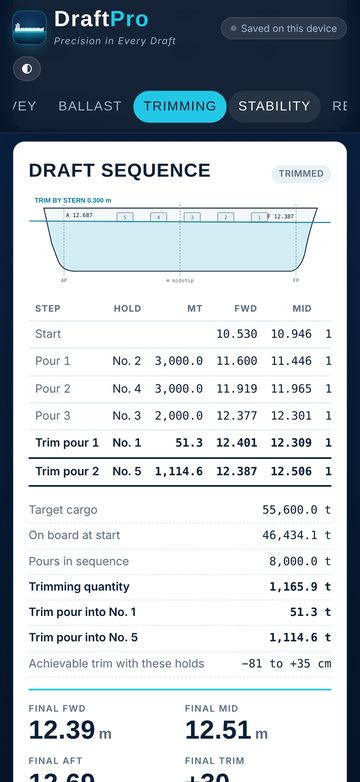
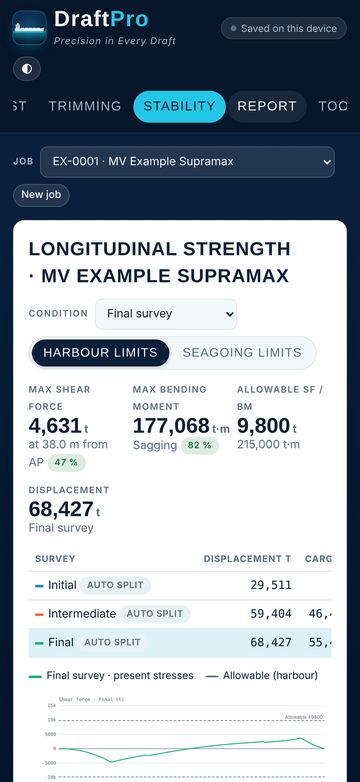
Trimming and strength
Pour sequence by hold with drafts after every pour, plus shear force and bending moment against harbour or seagoing limits.
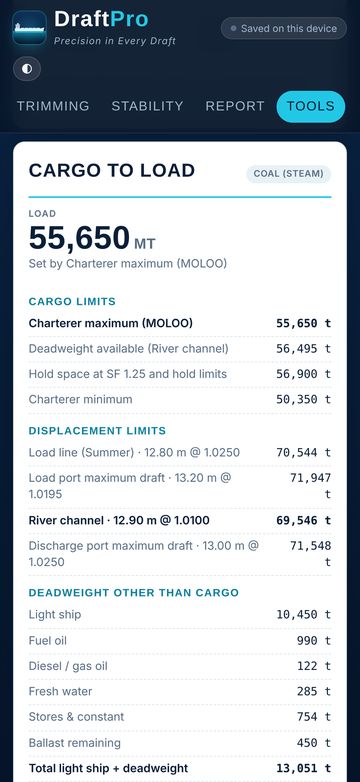
Cargo, voyage and bunkers
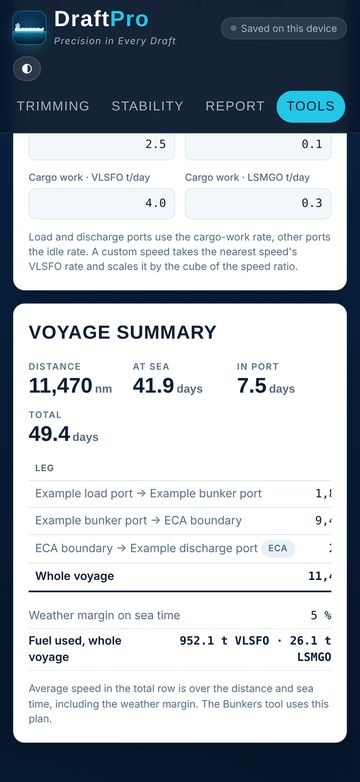
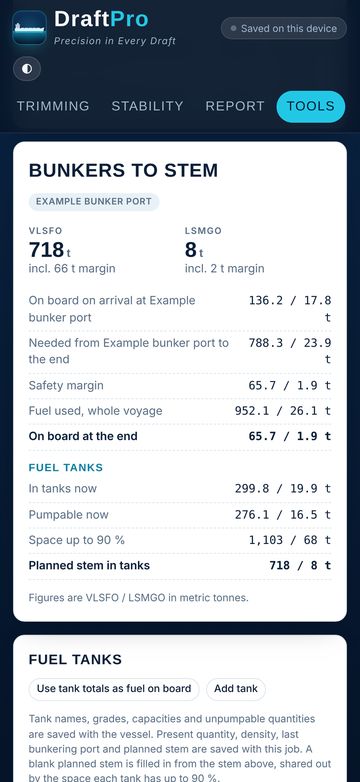
Quantity to load from the voyage instruction, a step-by-step loading sequence, ETAs, and the bunker stem with a safety margin.
Gallery
Tap any picture to see it big. Arrow keys and swipes move between them.
How it works
Three steps and you’re in.
Set up the vessel
Paste the hydrostatic table, hold particulars, and tank sounding tables straight from Excel. Each ship keeps its own data.
Read the drafts
Enter the six draft marks, the dock-water density, ballast soundings, and deductibles at each survey.
Get the figure
DraftPro works out the cargo on board and builds a survey report you can print or save as PDF, with signature lines.
DraftPro
Works offline. No account, no tracking. iPhone, iPad & Android. Figures are calculation aids. Check them against the ship’s approved stability booklet and loading computer.
 Simoy MarineMarine weather
 SolsticeWeb browser